SNCF Connect’s Business features
Features designed to simplify your business travel management. Your time is valuable, save it!
SNCF Connect, your companion for business travel by train
Do you use the same customer account for both business and personal travel and find it confusing?
Discover our new features, designed by and for business travelers, to make managing your trips easier:
An instant purchase receipt available right after paymen
As soon as you purchase a train ticket, you can download a purchase receipt containing buyer, traveler, and transactional information. We update it whenever you make an exchange.
It is available up to 12 months after the payment date.
Customize your business purchase receipts
You can add your company name to your business purchase receipts by entering this information in your business details.
To set up your details, go to the Business Space.
Send your receipts to another email address
Save your business email address or that of the person who manages your travel accounting (accountant, travel manager, etc.). It will be pre-filled when you request a receipt to be sent.
To set up your details, go to the Business Space.
Download your receipts one by one… or all at once!
If you usually handle your accounting monthly or quarterly, this feature will be a game-changer! You can now select the period of your choice and retrieve all receipts via a single email.
Go to the Business Space, under "Your Purchase Receipts."
Use your company code
Has your company signed up for the SNCF Contrat Pro and requires you to enter its company code when traveling for business? Save this code. We will associate it with your search whenever you make a reservation for business purposes.
To save your company code, go to the Business Space.

Benefit from exclusive deals for your business trips
To enhance your business travel experience, we negotiate special deals with partner companies for you: Accor for accommodation, etc.
Visit the Business Space, under "Business Deals."
Worth knowing
**All Business features are accessible from your Business Space.
To find it, go to "Account" and click on "Business Space."
If you are using the app, make sure to update your app first!
Please note: This space is only accessible when you are logged in.**
How to use these features? It all starts with a trip…
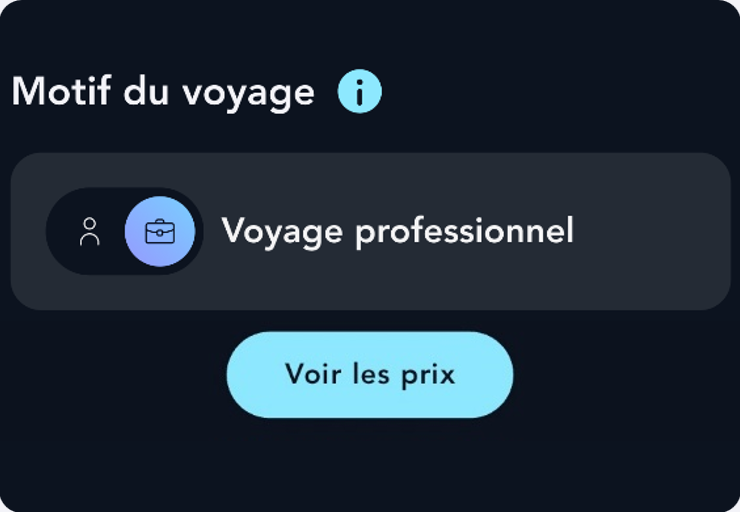
Remember to switch to the business travel purpose…
On the train ticket search page, so that we can correctly identify your business trips.
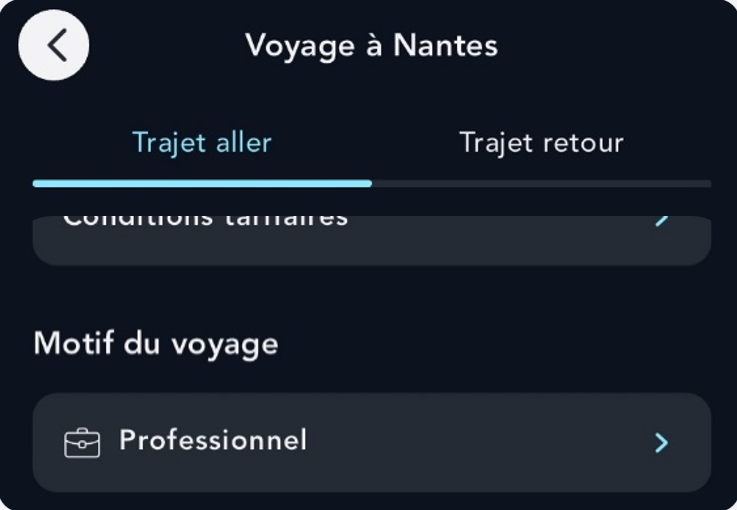
… or change the travel purpose after booking
On the My Tickets page (upcoming or past), by clicking on "View Details."
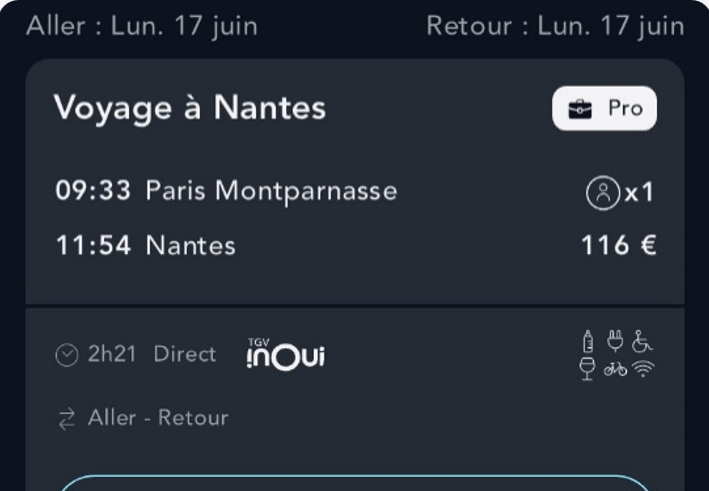
A "Business" label will appear on this trip
This will allow you to filter business trips among all your other journeys.