
Let’s stay alert to phishing attempts
Have you received a suspicious email from SNCF Connect? Are you being asked for personal information for no apparent reason?
It could be a phishing attempt, i.e. a fraudulent email aimed at obtaining sensitive information. Indeed, many commercial websites have their identity stolen. Here are our recommendations for dealing with these situations.
last update
SNCF Connect will never ask you to provide personal information, such as your name, age, address, banking details, passwords, or account information, via email or text message.
If you are unsure about the sender of an email or text message:
- Do not open it
- Do not click on any links
- Delete it from your inbox
Take a moment to learn more about common scam techniques and how to protect yourself against them.
Please remain vigilant regarding the use of fake accounts on Messenger and/or WhatsApp
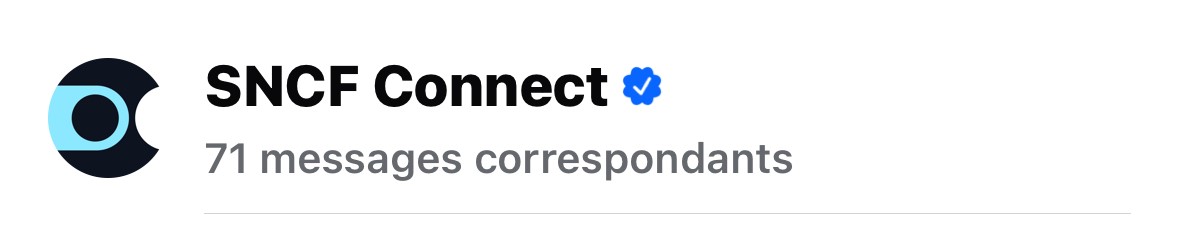
For your security, kindly note that all our official communications are sent exclusively from our verified account (identified by the blue badge). SNCF Connect does not send payment links via private messages or social media platforms.
What is phishing?
Phishing is a technique used by cybercriminals to collect your personal data through fraudulent emails (advertising, spam, etc.) or SMS messages (SMiShing), in order to steal your identity, obtain money from you, etc.
Examples of personal information targeted:
- Your bank card number with its expiry date and security code
- Your online banking login or password
- Your customer account username or password
How can you detect a phishing attempt?
Fraudulent emails and SMS messages are usually very misleading, as they use SNCF Connect or SNCF logos and colours. Here’s what you need to know to distinguish the real from the fake and delete the scam message immediately.
Check the sender
Pay attention to the sender’s email address. Beware of suspicious, unusual or misspelled addresses.
The sending addresses of the messages we send you usually end with:
- @mail.sncfconnect.com
- @mail.sncf-connect.com
- @info.sncf.com
- @connect.sncf
If the sending address ends differently, it is likely a case of spoofing.
Check the subject line
Fraudulent emails or messages usually have a very enticing subject line (promotion, gift, urgent alert). Here are a few examples:
- “Your travel gift voucher inside”
- “New travel card”
- “Your VOYAGEUR loyalty card is waiting for you!”
- “TGV INOUI OFFER - Free SNCF Travel Card + 50%”
- “Here’s €500 as a gift for you to celebrate the 2nd anniversary of the travel card”
- “Refund notification following issues in our IT system”
- Refund offer following strike action
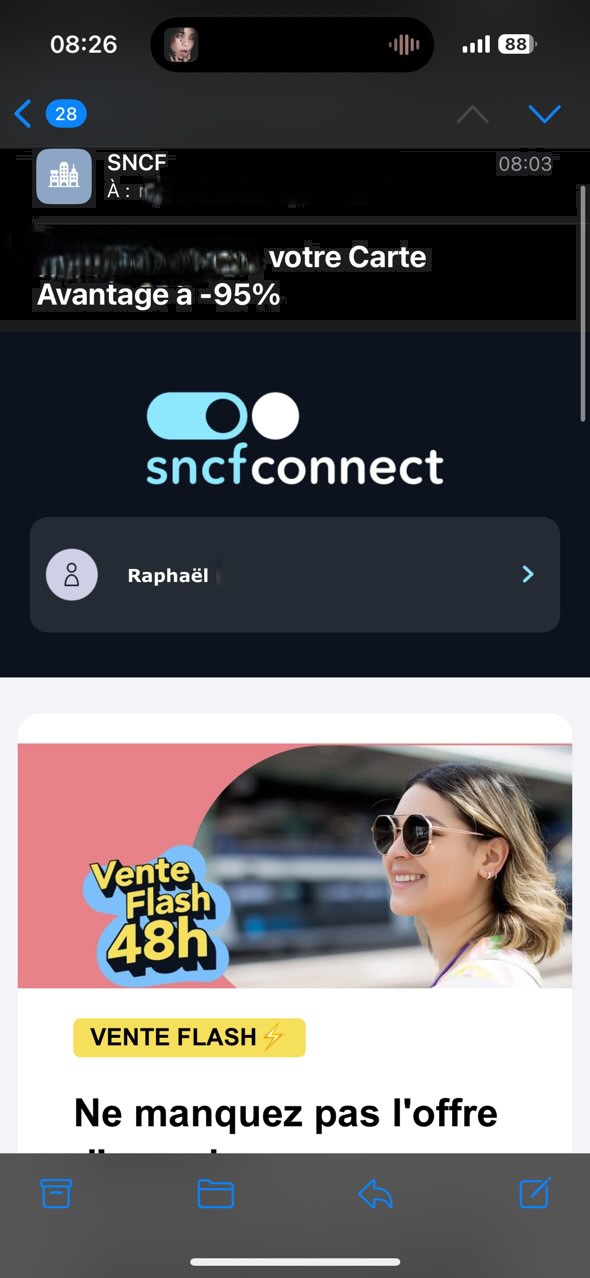
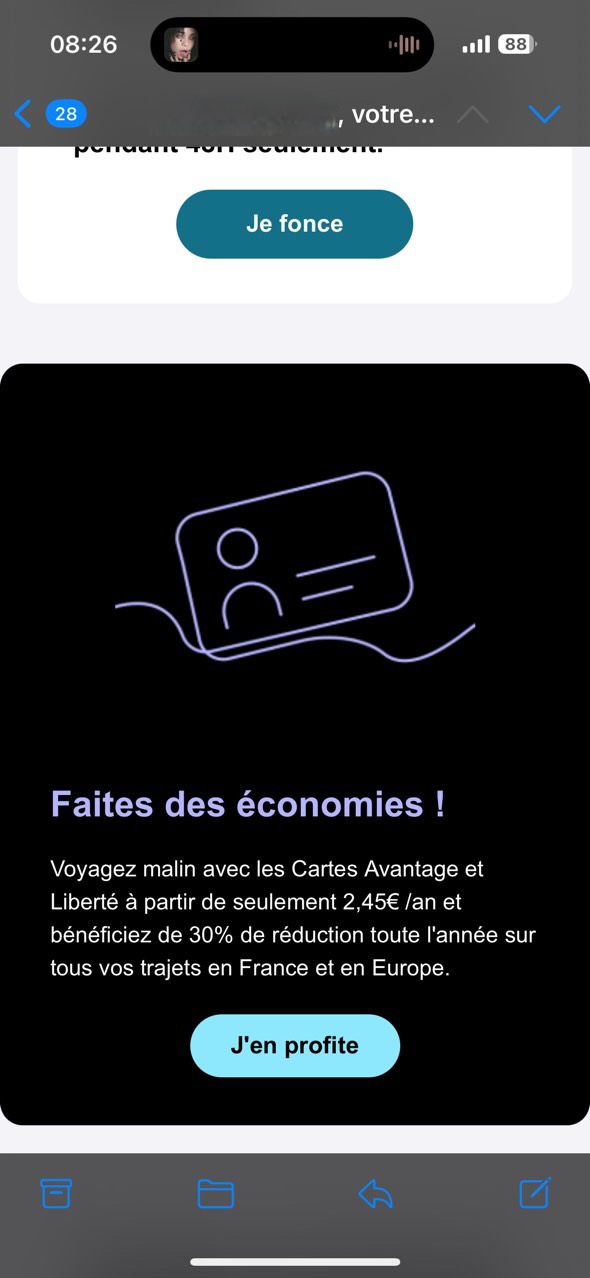
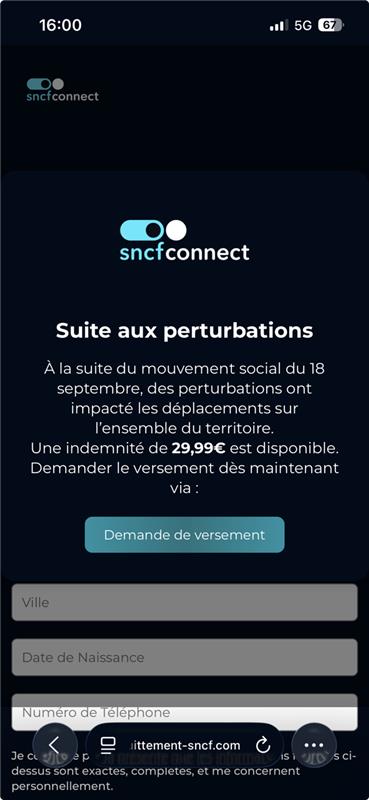
These emails may appear to be from SNCF Connect and link to a website that looks like SNCF Connect. How can you tell the real from the fake? Once again, simply check the sender’s email address (see previous section).
Check whether the email contains an attachment or links to external sites
Fraudulent emails usually encourage you to click on a hyperlink or download an attachment. Please note that all links included in the emails we send you lead to the SNCF Connect website. If the links lead to another website, it’s probably a phishing attempt. Do not click on these links.
Beware of requests for sensitive information
- Request for banking information without HTTPS
If you are asked to enter banking information on a page whose URL does not begin with “https” (it’s the “s” that’s important), or without a padlock, this is a phishing attempt. Close the page and delete the email from your inbox. All our pages have a URL that looks like this: note the padlock and the “s” in “https”

- Request for banking information from a social media account without the blue badge
SNCF Connect does not send payment links by private message or on social media. Make sure that the blue dot is visible when you exchange sensitive information on social media
- Attached document requesting personal information from you
SNCF Connect never asks you for this type of information. If an email asks you to fill in the attached forms, ignore it and delete it from your inbox.
- Request for information outside the context of your journey
SNCF Connect will never ask you for your social security details, bank information or your personal email username or password.
Reporting a phishing attempt
Do you have any doubts about the identity of the sender of an email or SMS and think it might be a phishing attempt related to SNCF Connect? Please let us know via our contact form
You will receive an email confirming that we have received your request.
For any phishing attempt that does not directly involve SNCF Connect, you can report it to the appropriate organisations :
To report illegal internet content: visit www.internet-signalement.gouv.fr.
To report an abusive SMS: forward it to 33700 (for more information, visit www.33700.fr).
Questions & Answers
-
A virus may have been installed on your computer.
Update your anti-virus software and run a virus check. -
If, despite all your precautions, you’ve provided personal information in response to a phishing attack, follow the instructions below :
- Immediately notify your bank to place a stop on the payment
- Change your email, customer account and bank account passwords
- Update your antivirus and run a scan
- File a complaint with the appropriate authorities
Leave a comment